Create your Curated Catalog
1 - Go to your Hub and click on New Curated Catalog
2 - Fill up the setup form with the following information:
- Name
- Description
- Access (Public or Private)
- Visibility through profile
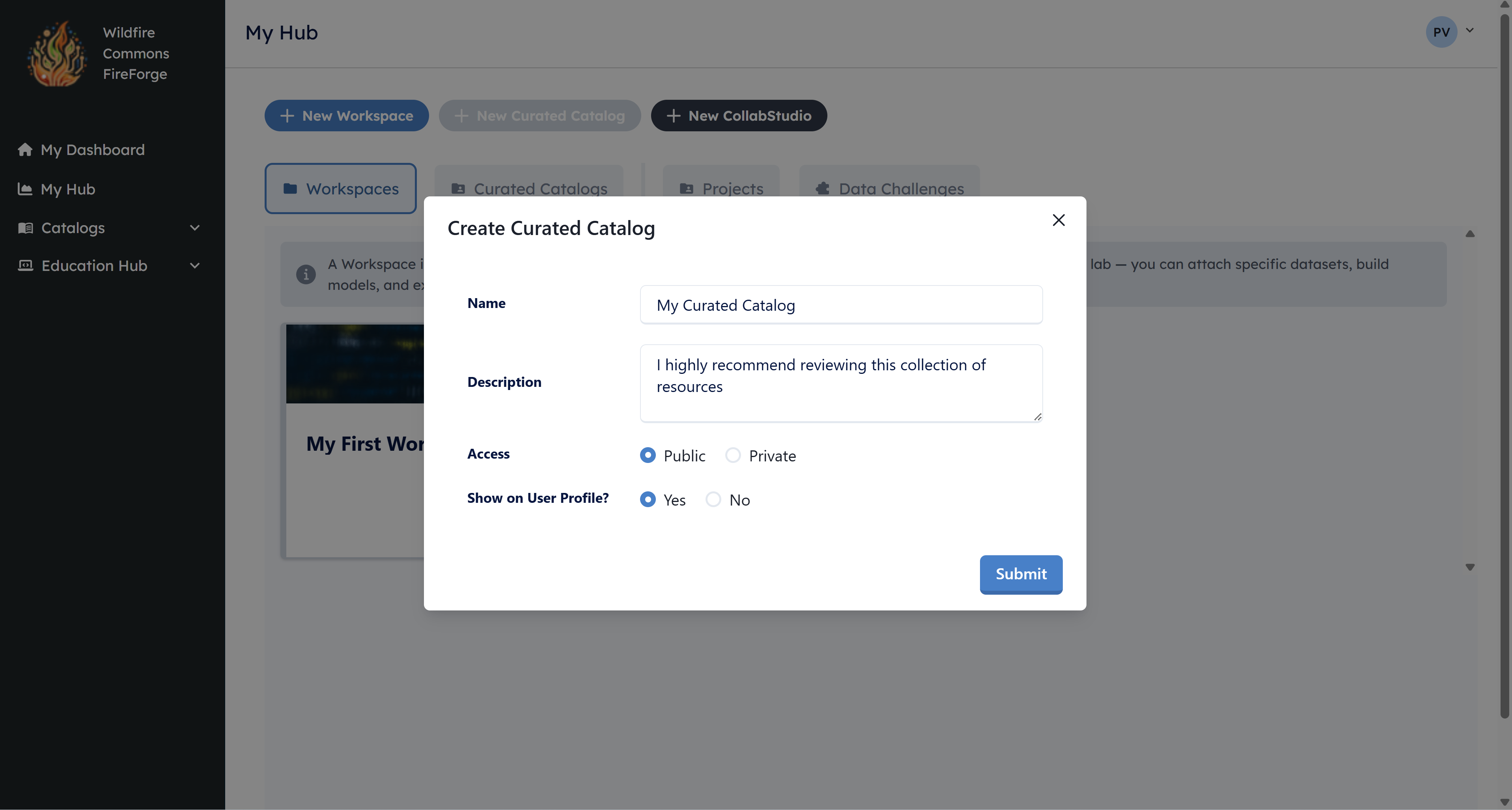
Once you fill up the form, click on Submit.
3 - Go to the Community Catalog and search for the resources to add to your curated catalog.
4 - Click on add Add to Catalog. Select the curated catalog to which you want to add the resource.
Registering resources for your curated catalog
To add addtional resources to your curated catalog, make sure to first register them in the community catalog: